top of page

UTEX SAVE

Automatically save your texts

100% local recording solution to recover all your inputs.

lettre u
Programme bloc note U-Key Save. 0jpg.jpg
icone section - Actualiser

RECOVERY

Never rewrite the same text twice

icone section - Download

AUTOMATIC SAVING

Automatic saving

of your text content

Your writings are securely saved in a text file that you can access at any time. Recovery is possible even after a bug, a network outage, or deletion of text files...

crash
erreur reseau
supression fichier
Crash
Network
Deletion
Program notepad UTexSave
UTEXSAVEiconeblanc672x672

EASY TO USE

UTexSave menu accessible from the taskbar to access saved text files.

TrayMenu UTEXSAVE
icone section - Historique

View History

Easily retrieve everything you’ve just written in a text file.

icone section - Precedent

Previous History

After a sudden PC crash, recover all the text you wrote before the crash!

icone section - Record

STOP RECORD

You can pause saving at any time. Useful when typing passwords or confidential codes.

icone section - Copier

The last 100 items copied to the clipboard

Recording of copy/paste actions in a text file:

  • Last 100 items (Standard version)

  • Last 400 items (Pro version)

icone section - Dossier

History Folder

Pro Version Only

Recover text you wrote a long time ago that was accidentally deleted, from a folder that stores the last 30 sessions.

50e6f77defbe48100bd4bdae01f4874b.png

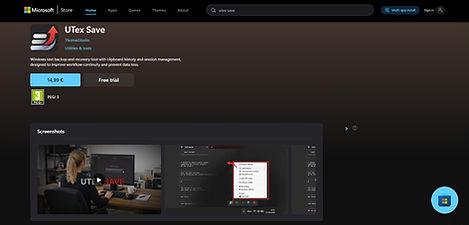
UTEXSAVE on MICROSOFT STORE

Download from
the Microsoft Store

UTEXSAVE Microsoft STORE crop.jpg
Asset 4_4x_edited_edited.png
icone section Maison

100 % LOCAL

PC Portable
Program NotePad UTexSave_edited

Save a copy of your writings on your personal machine.

U-TexSave is designed to operate entirely without an internet connection to ensure maximum security. All data processing is handled locally on the device, with no network access, eliminating risks associated with online transmission.

Cette conception "100% Local" permet à nos utilisateurs de profiter d’une protection renforcée de leurs informations sensibles tout en utilisant U-TexSave.
This 100% local design gives users enhanced protection for sensitive information while using U-TexSave.

COMPACT VERSION

U-TexSave is under 2 MB in size.

You don’t need to worry about it running in the background. U-TexSave stays discreet until you need it. It has a very small footprint and does not create latency or resource-heavy background tasks.

icone section - Compatibilité

COMPATIBILITY

Check your hardware compatibility before purchase

AdobeStock_231957175_editeda.jpg
UTEXSAVEiconeblanc672x672

SAVE ESSENTIAL DATA

Standard License

Installation limit : 3 authorized PCs

9.90 $

Lifetime license

  • Continuous local backup of your writing

  • Previous session recovery (anti-crash)

  • ​Text restructuring option

  • ​Sauvegarde du presse papier : 100 derniers "copier"

AdobeStock_231957175_edited.jpg
iconeUTS1024x1024-p

STORE MORE DATA

Pro License

Installation limit : 20 authorized PCs

39.90 $

Lifetime license

  • Continuous local backup of your writing

  • Previous session recovery (anti-crash)

  • ​Text restructuring option

  • Clipboard backup: last 400 copied items

  • Backup folder of the last 30 sessions

UTEXSAVE on MICROSOFT STORE

STORE VERSION

50e6f77defbe48100bd4bdae01f4874b.png

  Installation limit : Linked to 1 Microsoft account  

13.99 $

  • Continuous local backup of your writing

  • Previous session recovery (anti-crash)

  • ​Text restructuring option

  • Clipboard backup: last 400 copied items

  • Backup folder of the last 30 sessions

UTEXSAVE Microsoft STORE.jpg

Frequently Asked Questions

01

02

03

04

05

icone section - Livre

TECHNICAL DOCUMENTATION

bottom of page